Blogs

digital transformation challenges

Digital Transformation That Actually Works: Why Most Projects Stall?

Digital Transformation That Actually Works: Why Most Projects Stall ? 

Most digital transformation projects do not stall because of the technology. They stall because the goals, the systems, and the people never fully connect. A 2024 Gartner survey of more than 3,000 technology leaders found that only 48% of digital initiatives meet or exceed their business targets. 

The stakes are rising across the Gulf. Governments and education systems are putting more into digital programs every year. Qatar's 2026 state budget, for example, allocates QR21.8 billion to education. Leaders now expect these investments to deliver results, not more tools that work in isolation. 

So why does digital transformation fail so often, and what do successful projects do differently? 

Why digital transformation fails ?  

The digital transformation challenges we see most often fall into five patterns. 

  1. The tool comes before the goal. Many projects start with a platform purchase instead of a clear problem to solve. Without a defined outcome, no one can say whether the project is working.
  2. Systems do not talk to each other. Finance runs on one system, HR on another, and records sit in a third. Staff re-enter the same data, and managers wait for reports that are already out of date.
  3. Paper survives the project. A new system goes live, but approvals, contracts, and correspondence still move on paper. The old process runs alongside the new one, and neither works well.
  4. People are left out. Employees receive a new system without training or a clear reason to use it. Adoption stays low, and teams return to the workarounds they trust.
  5. Nothing is measured. Without baseline figures, a project cannot show progress. Support fades, budgets move elsewhere, and the work stalls halfway.


What successful projects do differently ?  

Organizations that see results treat digital transformation as an operational change, not an IT purchase. Their approach shares five habits. 

They start with the outcome 

A strong digital transformation strategy names the result first: faster approvals, accurate payroll, or reliable student records. Every system choice then serves that result. 

They connect core operations 

In government digital transformation, the biggest gains come from linking the back office. Government resource planning (GRP) brings these functions into one system. WaveGRP® integrates finance, HR, payroll, procurement, inventory, fixed assets, and correspondence systems, so public-sector teams work from the same data. 

The same principle applies to companies. With enterprise resource planning (ERP), each department stops keeping its own version of the truth. In WaveERP®, each module represents a complete business cycle, and management gets real-time data for decisions. 

They take paper out of the process 

A connected system still needs digital documents behind it. A document management system (DMS) such as WaveDMS® automates how an organization stores, routes, and archives its documents, following its own business cycles and workflow. 

They give decision-makers reliable data 

Universities face the same challenge as ministries: data spread across departments. A student information system (SIS) that shares records with academic and administrative services gives leaders one accurate view. EduWave® Higher-Ed helps students, instructors, and administrators become more efficient, effective, and productive. 

They invest in people and measure progress 

Successful projects train users early, roll out in phases, and set clear measures from day one. Each phase proves its value before the next one begins. 

Turning digital transformation into results 

Digital transformation works when it fixes real operational problems in a planned, measurable way. Start with the outcome, connect your core systems, remove paper from your processes, and bring your people with you. 

Integrated Technology Group (ITG) is a global software company founded in 1989, specializing in comprehensive software solutions for the education, government, and enterprise sectors. 

Headquartered in Amman, Jordan, ITG operates globally with projects, partnerships, and deployments spanning more than 42 countries across the Middle East, Africa, Asia, Europe, and North America. 

For more than three decades, ITG has supported governments, educational institutions, and enterprises in developing scalable digital ecosystems that improve operational efficiency, enhance service delivery, strengthen decision-making, and accelerate digital transformation.
Organized digital records and connected systems preparing an organization for AI

AI Readiness: Why Does Your Data Have to Come First?

AI Readiness: Why Does Your Data Have to Come First?

Because artificial intelligence (AI) can only work with the information it is given. When records sit in paper files, the same data lives in several places, and core systems do not share information, AI produces unreliable answers or none at all. AI readiness starts with organized, connected, and trustworthy data, not with the AI tool itself.

Gartner puts it plainly. In its research on AI-ready data, it predicts that through 2026, organizations will abandon 60% of AI projects that are not supported by AI-ready data. In the same research, 63% of organizations said they either do not have, or are unsure whether they have, the right data management practices for AI.

For most organizations, the question is no longer whether to use AI. Business and government leaders already want it. The real question is whether the records and data underneath are in a state that AI can actually use.

What Gets in the Way of AI Readiness

Three problems hold most organizations back, regardless of their size or sector:

  • Scattered paper records. Contracts, approvals, invoices, and case files still sit in cabinets, email attachments, and personal drives. AI cannot read what has never been captured, and staff cannot find it quickly either.
  • Duplicated data. The same customer, supplier, or employee appears in several systems with slightly different details. When AI works from conflicting records, it returns conflicting answers, and nobody knows which version to trust.
  • Information stuck in separate systems. Finance, HR, procurement, and correspondence often run on platforms that do not talk to each other. These data silos mean AI only ever sees part of the picture.

None of these are AI problems. They are records and data problems, and AI simply exposes them faster. Adding AI on top of disorganized information does not fix the information. It automates the confusion.

Why Government Feels This Most

Government entities hold some of the largest and most sensitive collections of records in any country: citizen files, permits, contracts, correspondence, and decades of archives. Much of it still exists on paper or in older systems built for a single department. This makes digital government goals harder to reach, because services that should take minutes still depend on someone finding a file.

PwC Middle East's 2026 paper on whole-of-government transformation describes the same pattern at national scale. It points to policy, funding, procurement, and delivery sitting in separate layers, "supported by fragmented data flows and limited feedback loops," and argues that optimizing one ministry does not improve the state as a whole. AI that serves citizens across agencies needs information that can move between them, under clear rules.

Regulators in the region are also setting expectations. Saudi Arabia's National Data Management Office (NDMO), for example, sets national policies, standards, and controls for data governance, including personal data protection, and monitors compliance with them. Strong records management and data governance are no longer back-office tasks. They are the foundation of trusted public services and of any responsible use of AI in government.

What to Fix Before Bringing AI In

AI readiness does not require a multi-year overhaul before anything useful happens. It starts with a few practical steps:

  • Map where your information lives. List the main record types, where each one is stored, who owns it, and which system is treated as the reference. This step alone often reveals duplicate and forgotten sources.
  • Digitize and index paper records. Scan priority documents, classify them, and add searchable metadata so they can be found, secured, and later used by AI. A document management system (DMS) turns paper archives into usable digital records.
  • Choose one trusted source for each record and clean the duplicates. Agree which system owns each core record, such as suppliers, employees, or assets, then merge and correct duplicate entries.
  • Connect core systems. Bring finance, HR, procurement, inventory, and correspondence onto one integrated platform, or connect them, so data is entered once and shared wherever it is needed.
  • Set clear governance rules. Define who can create, change, access, and archive each type of record, and how long it must be kept. This protects sensitive data and supports compliance.
  • Start AI small, on clean data. Pick one use case where the data is already organized, measure the result, and expand from there.

Where WaveERP® and WaveDMS® Fit

Integrated Technology Group (ITG) is a global company specializing in software solutions, serving the education, government, and enterprise sectors. Two of its platforms address this data foundation directly.

WaveDMS® is a comprehensive web-based Document Management and archiving solution that assists organizations in seamlessly automating their related documents according to their specific business cycles and workflow in a flexible and user-friendly manner.

WaveERP® automates and streamlines all facets of any enterprise's operations. Each module represents a complete business cycle, seamlessly integrating data and providing instant access. Say goodbye to redundancy and hello to informed decision-making. WaveERP® enhances accountability and empowers management with real-time data for efficient decision-making.

Together, they address the three problems above. Documents are captured and organized, and core business data is held in one integrated platform instead of being scattered across separate systems. That is the foundation AI needs.

Frequently Asked Questions

What is AI readiness? AI readiness is the point at which an organization's data and records are organized, accurate, connected, and governed well enough for AI to use them reliably. It covers data, systems, and rules, not only the AI tool.

Why do AI projects fail without organized data? AI depends on the information it is given. Scattered, duplicated, or disconnected data leads to incomplete or conflicting results, which weakens trust and stalls projects before they deliver value.

What should an organization fix first? Start by mapping where information lives, digitizing priority paper records, agreeing on one trusted source for core data, and connecting the main systems.

Does this apply to government entities? Yes, often more so. Government entities manage large volumes of sensitive records across many departments, so organized records and clear data governance are essential before AI can improve citizen services.

Do we need to replace every system before using AI? No. Most organizations begin with their most important records and systems, fix those first, and run a first AI use case on that organized foundation.

The Bottom Line

AI will only be as good as the records and data behind it. Organizations that organize their information first will get faster, more reliable results from AI, and will be ready for each new tool that follows. To find out how WaveERP® and WaveDMS® can organize your records and data, talk to the ITG team and request a demo.

Chart of ERP costs over five years

ERP Hidden Costs: What an ERP System Really Costs Over 3 to 5 Years

ERP Hidden Costs: What You Will Really Pay

An Enterprise Resource Planning (ERP) system costs more than its first quote shows. ERP hidden costs are the expenses that never appear in that quote. They include extra users, integrations, customizations, support, and infrastructure. Over three to five years, they decide what you actually pay.

This matters most for small and medium-sized enterprises (SMEs). The ERP cost for small business changes with every new user, branch, or process. This guide shows where the extra costs come from and how to plan for them.

How Much Does an ERP System Cost?

There is no single price, because cost depends on the number of users, the modules you need, how the system is hosted, and how much setup your processes require. The first quote covers only part of that spending, and the sections below cover the rest.

ERP Pricing: Licenses, Users, Subscriptions

ERP pricing usually follows one of two models: a license you buy up front, or a subscription you pay each period. In either case, ask what the price includes.

Check how many users are covered and what each added user costs. Ask whether modules are priced separately and whether the price changes after the first term, because a low entry price can hide a high cost per extra user or module.

ERP Implementation Cost: More Than Installation

ERP implementation cost goes beyond installing software, and it includes configuring the system to your processes, moving data from old systems, testing, and training staff.

Data migration includes cleaning old records before loading them. Training takes staff time, which is a cost even when no invoice arrives.

ERP Customization Cost

Every change to standard behavior adds to ERP customization cost, and that cost continues over time. Before you approve a customization, ask whether standard configuration can do the same job. Also ask who retests custom work after each upgrade, and who pays for it.

ERP Integration Cost

Your ERP rarely works alone, and it may need to connect to your Customer Relationship Management (CRM) system, e-commerce platform, payroll, banking, or reporting tools.

Each connection brings ERP integration cost: building it, testing it, and fixing it when either side changes. Ask which integrations are built in and which need extra work, because each disconnected tool you add later means another link to pay for and maintain.

ERP Support and Maintenance Cost

ERP support and maintenance cost continues for as long as you use the system, and it covers help-desk support, bug fixes, upgrades, security updates, and the infrastructure the system runs on.

Ask which support levels exist and what response time each one promises, and check whether upgrades are included or cost extra.

ERP Total Cost of Ownership Explained

ERP total cost of ownership (TCO) is everything you spend on a system over its life, not only the purchase price. It combines software, implementation, customization, integrations, training, support, upgrades, and infrastructure in one number.

Three to five years is long enough for recurring costs to show up, so compare vendors on TCO over that period, not on the first invoice.

The Hidden Costs of ERP at a Glance

Use this table as a checklist when you compare vendors.

Cost area What to check What to ask the vendor
Users and modules Price of each extra user or module What does each added user or module cost?
Implementation Data migration, testing, and training time What does the setup scope include?
Customization Retesting after each upgrade Can standard configuration do the same job?
Integrations Building and maintaining each connection Which integrations are built in?
Support and upgrades Ongoing fees and upgrade charges What do support levels and upgrades include?
Infrastructure Hosting, security, and backups Who runs and pays for hosting?


ERP for SME: Planning for Growth

ERP for SME teams is a different decision from ERP for a large enterprise, because a smaller budget has less room for surprises and growth changes the bill: new users, a second branch, or a new sales channel.

Look for a system that grows with you through configuration, not through rework. Ask for pricing at your current size and at the size you expect in three years.

How to Plan Your ERP Budget

Your ERP budget should cover the whole life of the system, not only year one. Follow these five steps:

  1. Map every cost area in the table above, not only the quote.
  2. Ask each vendor for pricing at today's size and at your expected size in three years.
  3. Count internal time, such as staff who join testing and training.
  4. Keep a contingency for work you cannot predict yet.
  5. Review the budget against actual spending every year.

Where WaveERP® Fits?

Integrated Technology Group (ITG) is an international software company serving education, government, and enterprise. WaveERP® automates and streamlines all facets of any enterprise's operations. Each module represents a complete business cycle, seamlessly integrating data and providing instant access. Say goodbye to redundancy and hello to informed decision-making. WaveERP® enhances accountability and empowers management with real-time data for efficient decision-making.

To see how WaveERP® could be configured for your organization and what it costs over time, talk to the ITG team and request a demo.

Frequently Asked Questions

What are the hidden costs of ERP?

The most common ones are extra users and modules, data migration, training, customization, integrations, support and upgrades, and infrastructure. Check each one against your first quote.

What is ERP total cost of ownership?

It is the full cost of an ERP system over its life, including software, setup, customization, integrations, training, support, and infrastructure. This guide measures it over three to five years.

Is ERP too expensive for a small business?

Not necessarily. The risk is not the price itself but costs nobody planned for. A small business that budgets the full cost and picks a system it can grow into is better placed than one that compares only quotes.

How long should an ERP budget cover?

Plan for three to five years. That period includes support, upgrades, new users, and new integrations.

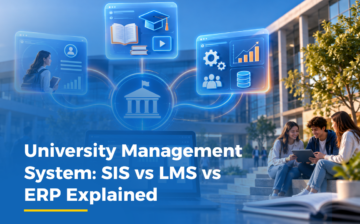
Three university students share a tablet beside a university icon linked to student portal, content, and analytics icons

What a University Management System Actually Includes?

What a University Management System Actually Includes?

A university management system is a connected platform that handles student records, teaching, assessments, communication, finance, and reporting in one place. It usually combines a Student Information System (SIS), a Learning Management System (LMS), and finance or Enterprise Resource Planning (ERP) functions. What matters most is not which tool a university buys, but how well those tools share data.

When universities run these functions as separate products, registration may sit in one system, courses in another, and fees in a third. Staff then re-enter the same student data, and leaders wait for reports that someone has to assemble by hand. This guide explains what each part does and what to look for when choosing a platform.

What Is a University Managemzent System?

A university management system brings the academic and administrative work of a university into one platform. It supports flexible academic structures such as degrees, colleges, departments, programs, and majors, along with courses, sections, and schedules. Instead of each office keeping its own records, students, instructors, and administrators work from the same data.

SIS vs LMS vs ERP Explained

Each system answers a different question, and a university needs all three to run well. The table below shows how they differ.

System What it does Who relies on it most
Student Information System (SIS) Manages the student lifecycle, including records, registration, programs, courses, sections, and schedules across the whole institution. Registrar, admissions, and academic affairs teams
Learning Management System (LMS) Lets instructors deliver courses, share resources, assign activities, and monitor student performance through built-in analytics. Instructors and students
Enterprise Resource Planning (ERP) Covers finance, human resources, inventory, and procurement. Student financials handle fee structures, invoices, and student balances. Finance, HR, and procurement offices


In short, the SIS answers who the student is and where they stand. The LMS answers what they are learning. The ERP answers what the institution spends and owns.

Why Are Universities Connecting These Systems?

Recent university strategies in Saudi Arabia point in the same direction. Prince Sattam bin Abdulaziz University (PSAU) launched its Digital Transformation Strategy 2026 to 2028 in August 2026, with the aim of building an integrated digital ecosystem across the university. Saudi Electronic University ties its own strategy to Vision 2030 and lists stronger administrative decision-making and operational efficiency among its goals. In 2023, Times Higher Education reported that Prince Sultan University built an integration layer connecting payroll, research incentive systems, and enterprise resource planning.

The common thread is integration. A platform that connects records, learning, and finance gives leaders one version of the data, which makes planning and reporting simpler.

What Should a University Platform Include?

Look for these building blocks. Each one removes a separate tool from the picture.

  • Student Information System (SIS) for records, programs, courses, and schedules
  • Learning Management System (LMS) for course delivery and performance monitoring
  • Assessment Management System (AMS) for creating, delivering, and analyzing assessments
  • Content Management System (CMS) for academic content, books, and multimedia
  • Communication and Collaboration tools for students, instructors, and administrators
  • Student Financials for fees, invoices, and balances
  • Analytics and Reporting dashboards for academic, financial, and institutional performance


How Does EduWave® Higher-Ed Fit In?

EduWave® Higher-Ed is the platform from Integrated Technology Group (ITG) for colleges, universities, and higher education institutions. ITG is a global software company serving education, government, and enterprise. The platform connects academic, administrative, learning, assessment, content, communication, and student financial operations in one ecosystem. It can be configured for degrees, colleges, departments, and majors without costly customization.

At the University of Nizwa in Oman, ITG implemented EduWave® Higher-Ed together with WaveERP®. The work covers learning, content, and student information management, ERP integration for finance, HR, inventory, and procurement, and Smart Card integration for access, attendance, and payments. ITG has also supported universities in Saudi Arabia.

How Do You Evaluate a Platform?

Ask five practical questions before you shortlist a vendor. Can the system model your degrees, colleges, and departments without costly customization? Do students, instructors, and finance staff work from the same records? Can leaders see real-time dashboards on enrollment, performance, and resources? Are fees, invoices, and balances clear to both the institution and the student? And can the same platform apply consistent processes across faculties and campuses?

To see how EduWave® Higher-Ed could be configured for your institution, talk to the ITG team and request a demo.

Frequently Asked Questions

What is a university management system?

A university management system is one platform that manages a university's student records, courses, assessments, communication, finance, and reporting. It usually combines a Student Information System (SIS), a Learning Management System (LMS), and finance functions, so students, instructors, and administrators work from the same data instead of separate tools.

What is a student information system?

A Student Information System (SIS) manages the student lifecycle. It holds academic records and supports degrees, colleges, departments, programs, majors, courses, sections, and schedules. In EduWave® Higher-Ed, the SIS is one of seven connected modules, alongside the LMS, assessment, content, communication, student financials, and analytics.

Is SIS the same as LMS?

No. A Student Information System manages student records, programs, and schedules. A Learning Management System delivers courses, resources, and activities, and tracks student performance. Universities need both, and they work best when they share data instead of running as separate products.

Does a university need ERP as well?

A university also runs finance, human resources, inventory, and procurement, which a student system does not cover. An Enterprise Resource Planning (ERP) system handles those functions. At the University of Nizwa, ITG implemented WaveERP® alongside EduWave® Higher-Ed to support academic, administrative, financial, and operational needs.

Can a university system support accreditation reporting?

No software grants accreditation, but consistent records make evidence easier to gather. EduWave® Higher-Ed applies consistent academic processes, policies, and quality standards across departments, colleges, and campuses. Its analytics dashboards cover academic, administrative, financial, and institutional performance, which gives teams one place to pull reports from.

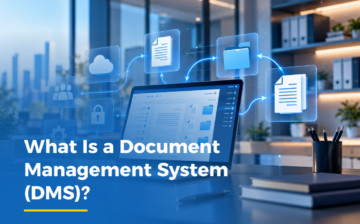
Laptop on a desk connected to floating cloud, document and folder icons, showing what a document management system (DMS) is

What Is a Document Management System (DMS)?

A document management system (DMS) is software that captures, stores, organizes and routes documents in one secure place. It replaces paper files and shared folders with searchable records, version history and approval workflows, so teams can find the right document and see who changed it.

What is a document management system?

A DMS is the single home for an organization's documents: letters, contracts, forms, reports and scanned paper. Instead of keeping copies on desks, shared drives and email threads, staff capture each document once and give it a type and a number. The system then keeps it in an archive that follows the organization's own structure. You may also see the term electronic document management system (EDMS). It means the same thing.

Three things separate a DMS from a shared drive. It indexes documents, so they can be found by content and not only by folder name. It records every revision, so the current version is never in doubt. And it controls who can open, change or approve each document.

Digital government is advancing quickly in Saudi Arabia. The 2024 United Nations E-Government Development Index ranked the Kingdom sixth in the world, up 25 places, and fourth in its online services measure, according to the Ministry of Communications and Information Technology. Digital services rely on documents that can be found, routed and approved quickly, and a DMS does that work behind the scenes.

How does it handle incoming and outgoing documents?

Paper correspondence follows a manual path. A clerk logs the letter in a register, makes copies, carries it between desks and files the original. Finding that letter a year later means searching the register and then the archive.

In a DMS, the same letter is captured on arrival, indexed and numbered, then routed to the right person for action or approval. Each step is recorded, and the letter is archived in the same system when the work is done. WaveDMS® follows this path from capture and indexing through routing, approval and archiving. Outgoing letters take the same route: they are approved, numbered and archived with a record of who handled them.

When you compare options, ask how the system numbers letters, how it routes them, and whether the route can follow your own approval chain. A simple register that only stores details is not the same as a system that links each record to the document and its approval path.

How do scanning and OCR work?

Most organizations start with paper. Document scanning software turns each page into a digital image. Document digitization services do the same job in bulk when the backlog is too large for staff to handle. Digitization is the wider step of moving paper records into a structured digital archive.

A scan alone is only a picture. Optical character recognition (OCR) reads the text inside that picture, which is what lets the system search a scanned page by its content. WaveDMS® combines full-text search with OCR, including for scanned or image-based documents.

Can scanned documents be searched?

Yes, once OCR has been applied. Without OCR, a scanned page can only be found by its file name or by details someone typed in. With OCR, a search for a contract number or a name returns the pages that contain it.

Paper files or a DMS: what changes?

The table compares the five tasks where the difference shows up first.

Task Paper files and shared folders Document management system
Finding a document Staff search by folder name or ask colleagues, and scanned files cannot be searched by their content. Full-text search and OCR (optical character recognition) find documents by content, even scanned or image-based ones.
Tracking changes Several copies circulate, and nobody can easily confirm which version is current or who edited it last. Version control keeps full document history and revisions, which supports accountability and traceability for every change.
Approvals Documents travel by hand or email between desks, so approvals stall and status is unclear. Rule-based routing sends each document to the right approver in order, following the organization's own hierarchy.
Access control Anyone with the folder or the file can read it, and access is hard to audit afterwards. Security levels, job titles and user permissions control who can open each document, with audit-ready tracking.
Incoming and outgoing letters A paper register records each letter by hand, and finding an old letter means searching the register and the archive. Each letter is captured, indexed and numbered on arrival, then routed and archived in the same system.


The common thread is that the system automatically does what staff used to do by hand: logging, numbering, tracking and filing.

What should you look for in a DMS?

Document management software varies widely. Check these six things before you choose one.

  1. Search and OCR. Can staff find a scanned page by its content?
  2. Routing and approvals. Can the system follow your own approval chain, with rules for who sees a document next?
  3. Version history. Does it keep every revision and show who made each change?
  4. Access control. Can you set permissions by security level, job title and user?
  5. Archive structure. Can you define your own hierarchies, classifications and numbering?
  6. Can you turn paper forms into digital forms without writing code?

Document management system in Saudi Arabia

When you evaluate a document management system in Saudi Arabia, test it with your own documents and approval chains, not a standard demo. Check that it handles the languages, document types and archive rules your teams already use, and ask how it will move your existing paper archive into the system.

How does WaveDMS® fit?

Integrated Technology Group (ITG), a global software company serving education, government, and enterprise, builds WaveDMS®. It is a secure, web-based system for digital document capture, storage, retrieval and workflow automation, and it is part of ITG Enterprise Solutions.

  • File Manager: handles each document from capture and indexing to routing, approval and archiving.
  • Organization and storage setup: custom archive hierarchies, document classifications, numbering schemes, security levels and job titles.
  • Forms Builder: no-code web forms with approval routing.
  • Dashboards and tools: document status, workflow progress and storage use, plus digital stamps and tracking for physical archives.

The result is one controlled archive instead of scattered files, with audit-ready tracking for every document. To see how WaveDMS® could handle your correspondence and archive, contact the ITG team.

Frequently asked questions

What is the difference between a DMS and cloud storage?

Cloud storage keeps files in folders. A DMS adds structure on top: it indexes each document, records every version, routes files for approval and limits who can open them. That is why organizations that handle letters, contracts and forms use a DMS for records that must be traceable, and cloud storage for simple file sharing.

Can a DMS route documents for approval?

Yes. A DMS can send each document to the next approver by rule, in the order your organization uses. In WaveDMS®, rule-based routing and approval workflows adapt to the organization's own processes and hierarchy, so each document reaches the right person without manual forwarding.

What is OCR in document management?

Optical character recognition (OCR) reads the text in a scanned or image-based page and turns it into searchable text. It lets staff find a document by its content, such as a name or reference number, instead of relying on file names alone. WaveDMS® pairs OCR with full-text search.

Does a DMS keep a history of changes?

Yes. Version control keeps the full history and every revision of a document, so each change stays traceable and accountable. Staff always know which version is current, and managers can see how a document changed over time, without comparing copies by hand.

Who needs a document management system?

Any organization that handles large volumes of letters, forms, contracts or records can benefit, including those in education, government, and enterprise. The need is greatest where documents pass through several people, where approvals must be recorded, or where paper archives are hard to search.

What Is Government Resource Planning (GRP) Software?

What Is Government Resource Planning (GRP) Software?


Government finance teams often start with software built for private business, then spend years adapting it to public-sector rules it was never designed for. Government Resource Planning (GRP) software takes the opposite approach. It is built around how government institutions actually operate, budgeting, procurement, human resources, and reporting under public accountability, from the start, rather than adapted to it afterward.

What Is Government Resource Planning (GRP) Software?

A government resource planning platform connects the core functions a public-sector institution needs to run day to day: finance, human resources, payroll, procurement, inventory, fixed assets, and correspondence, in one system built around government processes rather than commercial ones. Unlike Enterprise Resource Planning (ERP) software adapted from the private sector, government resource planning software is designed around budget accountability, multi-level approval chains, and the reporting structures public institutions answer to.

How Is a GRP System Different From ERP?

Enterprise Resource Planning (ERP) software is generally built around a standard process model that a business adapts itself to. Government institutions do not work the same way. Every ministry, department, and agency has its own budget structure, approval hierarchy, and legal reporting requirement, and those requirements change as regulations and government priorities evolve. A grp system needs to be flexible enough to reflect those differences and adjust as an institution's own structure and policy change, rather than locking it into a fixed process built for a different kind of organization.

What Does a Government Resource Planning System Manage?

A government resource planning system is designed to support an institution across its full operating cycle, not just one department in isolation. WaveGRP® simplifies the operations of government institutions by seamlessly integrating finance, HR, payroll, procurement, inventory, fixed assets, and correspondence systems. With all these components working together, public-sector organizations can achieve their goals more effectively while ensuring secure communication and data handling. Boost your efficiency and productivity with WaveGRP®.

How Does GRP Improve Government Services and Accountability?

Governments report to citizens, not shareholders, and that changes what a government resource planning platform needs to deliver. A proper government resource planning system connects budget planning directly to live spending data, so allocation decisions are based on real figures rather than static reports. This is one of the clearest advantages government resource planning offers over spreadsheet-based tracking, catching misallocation early instead of discovering it at year-end audit, and giving institutions a clearer record to show the public how resources were actually used.


What Features Should a Government Resource Planning System Have?

A genuine government resource planning platform needs multi-level, configurable approval hierarchies that match how public-sector approval chains actually work, structured role-based access controls that support accountability and compliance, and real-time financial reporting tied to the budget. Unlike government resource planning software adapted from a general business ERP, these features need to be built in from the start, connecting finance, procurement, HR, and payroll into one accountable system rather than bolting government logic onto commercial software afterward.

How WaveGRP® by ITG Supports Government Resource Planning?

WaveGRP® is Integrated Technology Group (ITG)'s government resource planning software, built for the finance, human resources, payroll, procurement, inventory, fixed assets, and correspondence needs of government institutions. Because it is grp software rather than repurposed business ERP, ministries, departments, and agencies can manage their resources in one connected platform instead of coordinating between separate systems, supporting better decisions in budget preparation and allocation and, in turn, more effective service delivery to citizens.

If your institution is looking to modernize public financial management, WaveGRP® is built to help. Get in touch with ITG to learn how WaveGRP® can support your government resource planning needs.

Frequently Asked Questions

What is the GRP system?

A GRP (Government Resource Planning) system is software purpose-built for how government entities actually operate, not a general business ERP adapted after the fact. WaveGRP® connects finance, HR, payroll, procurement, and asset management into one platform, with the multi-level, configurable approval hierarchies and role-based access controls public-sector accountability actually requires, built in from the start rather than bolted on.

Is a GRP system the same as ERP?

No. Both connect an institution's core functions into one system, but a government resource planning system is designed around public-sector budget cycles, multi-level government approval chains, and public accountability reporting from the outset, rather than adapting private-sector ERP software to fit government requirements afterward.

What features should a government resource planning system have?

A genuine government resource planning platform needs multi-level, configurable approval hierarchies that match how public-sector approval chains actually work, structured role-based access controls that support accountability and compliance, and real-time financial reporting tied to the budget. Unlike government resource planning software adapted from a general business ERP, these features need to be built in from the start, connecting finance, procurement, HR, and payroll into one accountable system rather than bolting government logic onto commercial software afterward.

How can government agencies optimize budget allocation using technology?

A proper government resource planning system connects budget planning directly to live spending data, so allocation decisions are based on real figures rather than static reports. This is one of the clearest advantages government resource planning offers over spreadsheet-based tracking, catching misallocation early instead of discovering it at year-end audit.

What are the steps to implement a government procurement platform?

Implementation inside a government resource planning platform typically covers vendor onboarding, digitizing the request-to-purchase-order workflow, and setting up approval hierarchies that match the entity's actual structure. Because it runs on the same grp software as finance and inventory, procurement data flows into one connected system rather than staying siloed in its own tool.

AI in K-12 Education: How Is Artificial Intelligence Used in Schools Today?

AI in K-12 Education: How Is Artificial Intelligence Used in Schools Today?

AI in K-12 Education: How Is Artificial Intelligence Used in Schools Today?

Artificial intelligence is becoming a practical part of everyday school work. According to TPT’s 2026 State of the Classroom survey, 80% of educators reported using AI tools in their classrooms. The survey included nearly 11,500 educators around the world, with the largest share of respondents based in the United States.

The most common use was creating instructional resources (48%), followed by brainstorming ideas (20%) and completing administrative tasks (17%). The numbers point to a practical role for AI: helping educators prepare, organize, and manage routine work rather than simply replacing human teaching.

That distinction is important when looking at what AI in K-12 education actually looks like day to day.

What Is AI in K-12 Education?

EdTech, short for educational technology, is the broad category of digital tools used in schools, from student information systems and learning management systems to communication and classroom platforms. Artificial intelligence in education is a more specific part of EdTech: tools that use machine learning or generative AI to personalize content, automate tasks, analyze information, or respond directly to students and teachers.

This helps explain why AI adoption can feel both sudden and gradual. Much of the underlying infrastructure was already in place. What is changing is that schools and education platforms are adding AI capabilities to systems they already use.

How Do Teachers Use AI in the Classroom?

A June 2025 Gallup and Walton Family Foundation study found that 32% of U.S. public K-12 teachers used AI tools at least weekly. Weekly users estimated that AI saved them an average of 5.9 hours per week, equivalent to about six weeks over a 37.4-week school year.

The most common work-related uses included preparing to teach, creating worksheets or activities, modifying materials for student needs, and communicating with parents. These uses support teacher work rather than removing the need for teacher judgment.

In practice, AI can take care of some repetitive preparation and drafting tasks, giving teachers more time for teaching, feedback, and student interaction.

What Are the Applications of AI in K-12 Education?

Several applications appear across schools and education platforms:

  • Lesson planning and resource generation: drafting worksheets, quizzes, activities, and lesson outlines.
  • Adaptive learning: adjusting content or difficulty to better match a student’s learning pace.
  • AI tutoring and feedback: providing guidance or identifying possible errors in writing, mathematics, or other learning tasks.
  • AI assistants and chatbots: responding to routine student, parent, or staff questions.
  • Accessibility support: using tools such as voice commands and text-to-speech to make learning materials more accessible.
  • Early-alert analytics: helping schools identify students who may need additional support.

A growing number of education platforms are integrating these capabilities into core systems rather than requiring schools to manage a separate application for every task.

For example, EduWave K-12 combines AI-based accessibility features such as voice command and screen-reader support with an AI assistant teacher and a student-facing chatbot, alongside the SIS and LMS functions schools already rely on.

What Are the Benefits of AI in K-12 Education?

The potential benefits of AI in education include more personalized learning support, earlier identification of students who may need additional help, improved accessibility, and time savings for educators.

For teachers, reducing repetitive preparation and administrative work can create more time for instruction, feedback, planning, and direct interaction with students. The value of AI therefore depends not only on what the technology can do, but on how thoughtfully it is integrated into the school environment.

Is Artificial Intelligence Taught as a Subject in Schools?

In some education systems, AI is now part of the school curriculum. In the UAE, the Ministry of Education has developed a National AI Literacy Curriculum Framework covering Kindergarten through Grade 12. The framework focuses on AI concepts, data and algorithms, ethical use, societal impact, and real-world applications.

Saudi Arabia also announced a new AI curriculum across public education beginning in the 2025–2026 academic year. Saudi Press Agency reported that the initiative would reach more than six million general school students.

These developments show that AI in schools is expanding beyond a tool teachers can choose to use. In some countries, AI literacy is becoming part of the formal curriculum and a broader effort to prepare students for an AI-enabled future.

Frequently Asked Questions About AI in Education

The Difference Between EdTech and AI in Education

EdTech is the broader category of technology used in education, while AI in education refers to tools that use artificial intelligence techniques such as machine learning or generative AI. Every AI education tool is part of EdTech, but not every EdTech tool uses AI.

Will AI Replace Teachers in Schools?

Current survey evidence points primarily to AI being used for planning, resource creation, and administrative support. Teachers continue to make the instructional decisions about what to teach, how to teach it, and how to respond to students. AI can support parts of that work, but it does not remove the need for teacher judgment.

What Is an AI Assistant for Teachers?

An AI assistant for teachers is a tool designed to support tasks such as lesson planning, resource creation, communication, or other routine work. Student-facing AI tools can also provide tutoring, answer questions, or offer learning support within a school platform.

How Can Schools Use AI Responsibly?

Schools can start by connecting AI use to clear educational goals, providing staff training, protecting student data, and choosing tools with appropriate accessibility and governance features. Integrating useful AI capabilities into systems schools already use can also reduce the need to manage a scattered collection of separate applications.

How Does a Document Management System Prevent Data Breaches? A Practical Guide

How Does a Document Management System Prevent Data Breaches? A Practical Guide

How Does a Document Management System Prevent Data Breaches? A Practical Guide

The average cost of a data breach for organizations in the Middle East just hit $8 million in 2026, according to IBM's Cost of a Data Breach Report. That number alone gets attention, but the part that should actually change how businesses think about security is why it's so high.

It's not outside hackers breaking through firewalls. According to the report, the leading factors driving up breach costs were mismanaged secrets and keys, excessive privileges and poor role management, and an inability to prioritize threats. In plain terms: the biggest risk isn't someone breaking in from outside; it's people inside the organization having access to documents and data they shouldn't.

That's not a firewall problem. That's a document management system problem.

What Is a Document Management System?

A document management system (DMS) is software that stores, organizes, and controls access to a company's documents: contracts, HR files, financial records, internal reports, in one centralized, searchable place instead of scattered across shared drives, email attachments, and personal desktops.

At a basic level, a DMS replaces physical filing cabinets and unmanaged folders with structured, searchable digital storage. But the more important function, especially given what IBM's report found, is controlling who can see and edit what.

The Real Cost of a Data Breach in the Middle East

Breach costs aren't just about the initial incident. IBM's breakdown shows lost business was the largest cost category at $3.57 million per breach, followed by post-breach response at $2.17 million, detection and escalation at $1.9 million, and notification at $360,000.

Those costs compound the longer a breach goes undetected, and undetected is exactly what happens when too many people have access to files they don't need, with no clear record of who touched what.

Why Do Data Breach Costs Keep Climbing?

According to IBM, three factors consistently pushed breach costs higher across the region: mismanaged secrets and keys, excessive privileges and poor role management, and an inability to prioritize threats. Two of those three are directly about access control - not external attack sophistication.

This is the core issue: most organizations don't get breached because someone hacked in. They get breached because someone inside already had more access than their role required, and nothing was tracking it.

How Does Role-Based Access Control Prevent Data Breaches?

Role-based access control means people only see the documents relevant to their actual job. An HR coordinator doesn't need visibility into finance contracts. A marketing intern doesn't need access to legal files. When access is scoped to role instead of granted broadly "just in case," the number of people who could leak, mishandle, or lose sensitive documents shrinks dramatically.

This is the direct, practical answer to the exact failure mode IBM's report calls out, not a general "improve your cybersecurity" mindset, but a specific fix: granular access permissions built into the system documents live in.

Document Archiving: Why It Matters for Security

Document archiving is the practice of systematically storing older or inactive documents in a secure, organized way, rather than leaving them scattered, forgotten, or duplicated across drives where no one is tracking who can access them.

Poor archiving practices are a quiet security risk: old contracts, outdated HR records, and legacy financial files often sit unmonitored long after anyone remembers they exist. A structured archiving system closes that gap by keeping every document accounted for, with the same access controls applied whether a file was created yesterday or five years ago.

What Makes a Document Management System Actually Secure?

Not every DMS is built with security as the priority. A genuinely secure document management system should include:

  • Role-based access permissions: so exposure is limited by design, not by policy someone has to remember to enforce
  • Audit trails: a clear record of who accessed or edited a document, and when
  • Version control: preventing confusion (and risk) from outdated or duplicate files circulating
  • Centralized storage: eliminating the scattered folders and email attachments that are impossible to secure consistently

This is the difference between basic document security software and a system actually designed to prevent the failure mode IBM's report is describing.

WaveDMS® in Action: Solving the Access Control Problem

This is precisely what WaveDMS® is built around. Rather than treating security as an add-on, WaveDMS® makes role-based access and granular permissions core to how the system works: every document, every user role, every access point accounted for from the start.

Given that IBM's own data points to poor role management as one of the top cost drivers in the region, this isn't a "nice to have" feature. It's the specific gap a document management system needs to close.

FAQ's

Is a DMS the Same as Document Archiving?

Not exactly. Document archiving is one function within a document management system: the part responsible for securely storing inactive or historical files. A full DMS also handles active document workflows, access control, and version tracking.

What's the Difference Between Document Security Software and a DMS?

Document security software typically focuses narrowly on protecting files (encryption, access restriction). A document management system does that too, but also organizes, stores, and manages the full lifecycle of a company's documents; security is one part of a broader system.

How Much Does a Data Breach Actually Cost a Business?

It varies by region and industry, but IBM's 2026 report puts the Middle East average at $8 million per breach, with the financial and technology sectors recording the highest average costs, at $10.67 million each.

What is ERP? A Beginner’s Guide

What is ERP? A Beginner's Guide

Running a business usually means juggling a handful of separate tools one for accounting, another for inventory, a different one for HR, and a spreadsheet holding everything else together. It works, until it doesn't. That's usually where the question "what is ERP?" starts coming up.

Enterprise Resource Planning (ERP) is a type of business management system that brings all of those separate functions into one connected platform. Instead of five disconnected tools that don't talk to each other, an ERP system gives a business one shared source of truth.

How Does ERP Software Work?

At its core, ERP software connects the different departments of a business finance, HR, sales, procurement, inventory through integrated modules that all pull from the same database. When someone in sales closes a deal, finance sees it instantly. When inventory drops below a certain level, procurement gets notified automatically. Nothing has to be manually copied from one system to another.

This is where the idea of centralized data comes in. Instead of information living in scattered spreadsheets and disconnected apps, everything sits in one place accurate, up to date, and visible to whoever needs it, when they need it.

Benefits of ERP for Your Business

A few reasons this tends to make a real difference:

  • Fewer errors. When data has to be manually re-entered across different tools, mistakes creep in. Centralized data removes that risk.
  • Faster decisions. Leadership can see real-time numbers across departments instead of waiting for someone to compile a report.
  • Better collaboration. Departments that used to work in silos now operate off the same information.
  • Room to grow. As a business scales, an ERP system scales with it adding new modules instead of adding new disconnected tools.

Key ERP Modules Every Business Needs

Most ERP platforms are built around a set of integrated modules, such as:

  • Finance and accounting
  • HR and payroll
  • Inventory and supply chain
  • Sales and CRM
  • Procurement

The exact modules vary depending on the industry, but the principle stays the same: everything connects, and everything stays synced.

FAQ’s

Is ERP Software Only for Large Businesses?
No. While ERP systems used to be associated with large enterprises, modern ERP software is built to scale smaller and mid-sized businesses use it just as often to replace disconnected spreadsheets and tools

ERP vs. CRM: What's the Difference?
A CRM focuses specifically on managing customer relationships and sales. An ERP system is broader it connects finance, HR, inventory, and operations, often with a CRM function built in as one of its integrated modules.

How Long Does ERP Implementation Take?
It depends on the size of the business and how many modules are involved, but most implementations range from a few weeks for smaller setups to several months for larger, multi-department rollouts.

ERP Software in Action: A Real-World Example

This is exactly the problem ERP systems like WaveERP are built to solve. Rather than stitching together separate tools for finance, HR, and operations, WaveERP brings them into one connected platform giving businesses a single, centralized system they can actually rely on as they grow.

If you're trying to figure out whether your business has outgrown its current setup, understanding what ERP is is the first step. The next is seeing what an integrated system like WaveERP can actually do for your day-to-day operations.